
Are you ready to take your audio recordings to the next level? The Maono AU-PM422 USB Microphone is here to deliver professional-grade sound quality without the hefty price tag. Whether you’re a budding podcaster looking to sound your best or a gamer wanting to enhance your streaming experience, this microphone is designed to meet your needs.





In stock
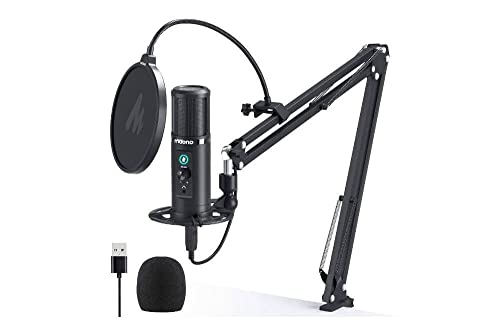
Maono AU-PM422 USB Microphone with Touch Mute Panel and Mic Gain Knob, Zero Latency Monitoring 192KHZ/24BIT Professional Cardioid Condenser Mic for Laptop, PC, Recording, Podcasting, Gaming, YouTube
£69.99
- Discover the Maono AU-PM422 USB Microphone, a top-notch condenser mic designed for aspiring podcasters, gamers, and content creators alike. Featuring a professional sound chipset with an impressive sampling rate of 192kHz/24Bit, this microphone delivers crystal-clear audio quality, ensuring that every note, word, and sound detail is captured with precision. The smooth frequency response range of 20Hz to 20kHz makes it ideal for singing, speaking, and voiceovers, allowing your voice to shine in any recording scenario.
Frequently Asked Questions
Popular questions and answers about this product
What makes the Maono AU-PM422 stand out from other microphones?
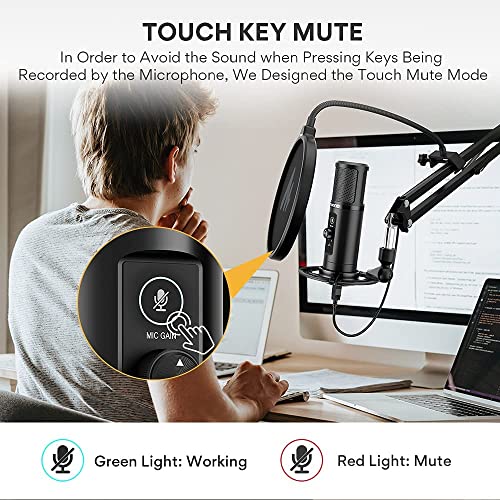
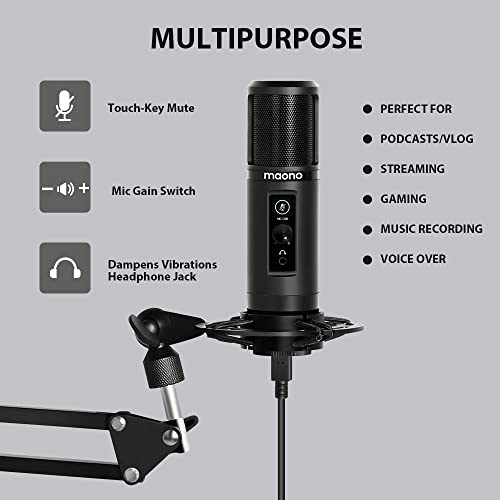
The Maono AU-PM422 features a high-resolution 192kHz/24Bit sampling rate, providing exceptional audio quality that is perfect for various uses, from podcasting to gaming. Its unique one-key touch mute and real-time monitoring capabilities set it apart from competitors.
Is the Maono AU-PM422 compatible with my laptop?
Yes! The Maono AU-PM422 is compatible with all laptops and PCs, and it works seamlessly with most operating systems. If you wish to connect it to a mobile phone, you will need an OTG adapter (not included).
How do I connect the microphone to my computer?
Simply plug the USB 2.0 data port into your computer, and you’re ready to go—no additional drivers or external sound cards required!
Can I use the microphone for live streaming?
Absolutely! The Maono AU-PM422 is perfect for live streaming, podcasts, and video calls, ensuring your audience hears every word clearly.
What is zero-latency monitoring and why is it important?
Zero-latency monitoring allows you to hear your voice in real time without any delay. This feature is crucial for recording because it helps you adjust your voice and performance on the fly, ensuring optimal sound quality.
How do I adjust the microphone’s output level?
You can easily adjust the output level using the flexible mic gain knob, allowing you to increase or reduce the volume to suit your recording needs.
Useful Posts


