
In stock

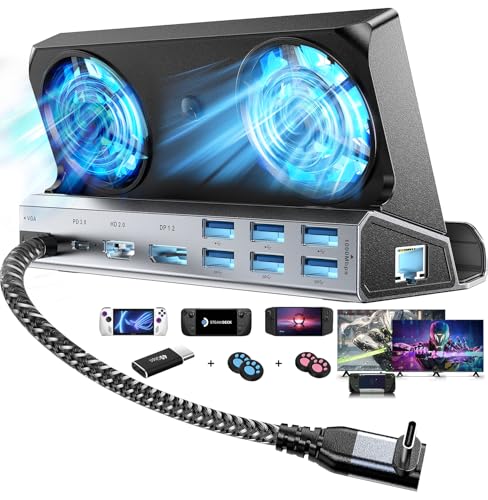
YCE 14 in 1 Steam Deck Docking Station Dual Cooling Fans with HDMI 2.0,6 USB Ports,Gigabit Ethernet,Type C 100W PD,DP1.2,VGA 40Gbps Adapter for Steam Deck/Rog Ally/Switch/Legion Go

£53.99

BUY NOW
Category: Docking Stations

  • Elevate your gaming experience with the YCE 14-in-1 Steam Deck Docking Station, the ultimate companion for your Steam Deck OLED, ASUS ROG Ally, or Legion Go. This versatile dock transforms your device's USB Type-C port into an impressive 11 ports, including HDMI 2.0 for stunning 4K visuals at 60Hz, Gigabit Ethernet for lightning-fast online gaming, and multiple USB ports for all your accessories. With three USB 3.0 ports (5Gbps) and three USB 2.0 ports, you can connect your gamepad, mouse, and keyboard seamlessly, ensuring no lag during intense gaming sessions.
  • What truly sets this docking station apart are its dual cooling RGB fans. These fans not only enhance heat dissipation, prolonging the battery life of your Steam Deck, but also prevent overheating issues that can lead to system crashes or lost frames. Say goodbye to performance hiccups and hello to a consistently smooth gaming experience.
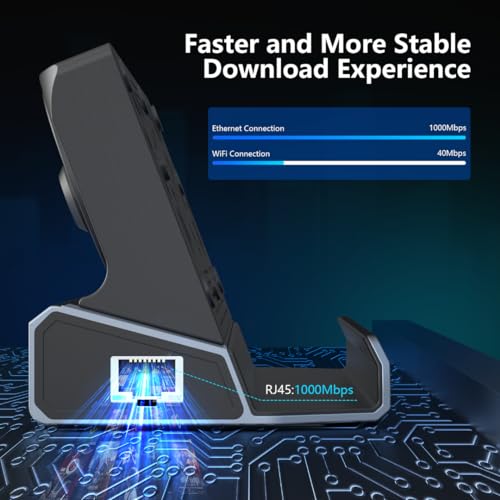
  • The YCE docking station supports 100W PD 3.0 charging, allowing for full-speed charging when paired with the original charger—perfect for gamers who need their devices powered up quickly. Plus, with stable Gigabit Ethernet and fast data transmission capabilities, you’ll enjoy unparalleled upload and download speeds, taking your online gaming to new heights.
  • Whether you're streaming, downloading games, or battling it out in multiplayer modes, the YCE 14-in-1 Steam Deck Docking Station is designed to meet all your gaming needs. Don’t miss out on this essential addition to your gaming setup!

Read More

Frequently Asked Questions

Popular questions and answers about this product

What devices are compatible with the YCE Docking Station?

The YCE Docking Station is compatible with the Steam Deck OLED, ASUS ROG Ally, and Legion Go, providing a flexible solution for various gaming needs.

How does the cooling system work?

The docking station features dual RGB cooling fans that enhance heat dissipation, preventing overheating and ensuring stable performance during long gaming sessions.

What is the maximum output for charging?

The dock supports a maximum power delivery of 100W, providing full-speed charging to your device when used with the original charger, ensuring you stay powered up during gameplay.

Can I use this dock for online gaming?

Absolutely! The YCE Docking Station offers stable Gigabit Ethernet support, delivering exceptional upload and download speeds for seamless online multiplayer experiences.

How do I achieve 4K resolution with the HDMI output?

To enable 4K resolution, connect your device to an external monitor via HDMI 2.0, and adjust the game settings to select the desired resolution. Ensure your cables are HDMI 2.0 or above for optimal performance.

Are the USB ports fast enough for large file transfers?

The dock includes three USB 3.0 ports with speeds up to 5Gbps, making it ideal for transferring large files and games quickly without lag.