ONIKUMA Wired PC Gaming Mouse: Precision and Comfort for Gamers
Explore the ONIKUMA Wired Gaming Mouse, designed for precision and comfort, perfect for gamers seeking an edge in their gameplay.





£11.99
Popular questions and answers about this product
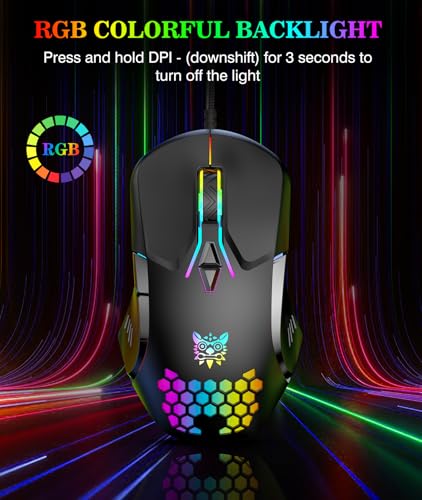
Its unique RGB light effect system and high precision PMW3389 sensor offer a cutting-edge gaming experience, while its ergonomic design ensures comfort during long sessions.
Yes, the ONIKUMA gaming mouse is compatible with Windows, macOS, and Linux, ensuring seamless operation across all major platforms.
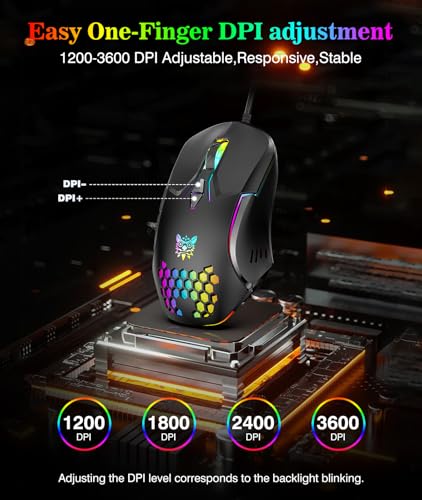
Simply click the DPI+/- button to cycle through the four sensitivity settings, allowing you to tailor the mouse speed to your gaming style.
The buttons are rated for 20 million clicks, ensuring durability and reliability for even the most intensive gaming sessions.
Absolutely! The ergonomic design, featuring a dragon ridge curve palm rest, provides a comfortable grip while maintaining temperature control for optimal performance.
Yes, it is a plug-and-play device that requires no additional software, making it incredibly easy to set up and use right out of the box.
Explore the ONIKUMA Wired Gaming Mouse, designed for precision and comfort, perfect for gamers seeking an edge in their gameplay.
![£20 PlayStation Store Gift Card | PSN UK Account [Code via Email]](https://m.media-amazon.com/images/I/41FAmYkZO5L._SL500_.jpg "£20 PlayStation Store Gift Card | PSN UK Account [Code via Email]")
![£10 PlayStation Store Gift Card |PSN UK Account [Code via Email]](https://m.media-amazon.com/images/I/41LvWm6azzL._SL500_.jpg "£10 PlayStation Store Gift Card |PSN UK Account [Code via Email]")