
In stock

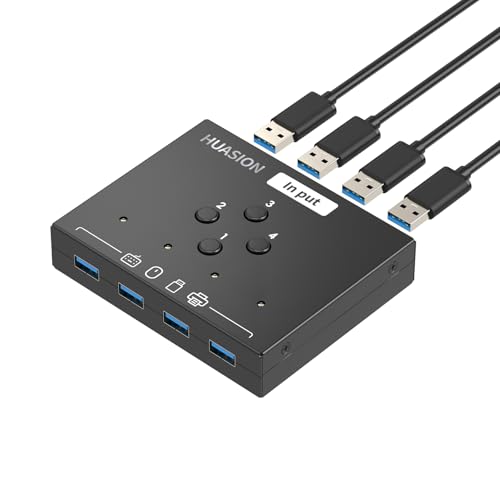
USB 3.0 Switch 4 Computers Sharing 4 USB Peripheral Devices Switcher for PC Laptop Mouse Keyboard Scanner Printer with 3.5mm Audio Output

£28.99

BUY NOW
Category: KVM Switches

  • Introducing the Huasian USB 3.0 4-Port Sharing Switch, the ultimate solution for anyone juggling multiple computers. This innovative device allows you to seamlessly share up to four USB 3.0 peripherals—such as printers, scanners, mice, keyboards, USB drives, cameras, and headphones—between four PCs or Macs without the hassle of constantly swapping cables or configuring complex network sharing software.
  • Imagine being able to effortlessly switch between your work laptop and personal computer with just the touch of a button. With its high-speed transmission capability of up to 5Gb/s, this switch is ten times faster than USB 2.0, ensuring flawless performance with high-bandwidth devices while remaining backward compatible with USB 2.0 and USB 1.1.
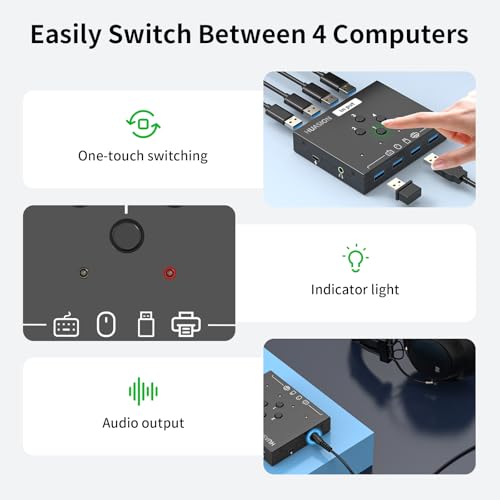
  • Setting up the Huasian switch is a breeze! It’s driver-free for all major operating systems, including Windows 11/10/8/7, Mac OS X, Linux, and Chrome OS—just plug and play. An intuitive LED indicator lets you know which computer is currently in control, greatly enhancing your workflow efficiency.
  • Are you using high-powered devices like external hard drives or USB cameras? No problem! This switch features an extra USB-C (5V 2A) power supply port, ensuring stable performance for all your needs (please note that the power adapter is not included).
  • Whether you're a professional needing to switch devices in a busy office, or a gamer wanting to connect multiple systems without the clutter, the Huasian USB 3.0 Sharing Switch is your ideal companion. Don’t let tangled cables slow you down—make the smart choice today!

Read More

Frequently Asked Questions

Popular questions and answers about this product

What devices can I connect using the Huasian USB 3.0 Sharing Switch?

You can connect a variety of USB peripherals including printers, scanners, keyboards, mice, USB drives, cameras, and headphones.

Is the Huasian USB 3.0 Sharing Switch compatible with Mac?

Yes, it is fully compatible with Mac OS, as well as Windows, Linux, and Chrome OS.

How do I switch between different computers?

Switching between computers is easy! Simply press the one-button switch to toggle control between connected PCs.

Do I need to install any drivers?

No drivers are required! The Huasian switch is plug and play, making setup quick and hassle-free.

What is the maximum data transfer speed?

It supports high-speed transmission of up to 5Gb/s, making it ten times faster than USB 2.0.

Do I need additional power for high-powered devices?

Yes, for devices that require extra power, such as external hard drives or USB cameras, you will need to connect an additional power supply via the USB-C port (adapter not included).