
Available for download now

Stopwatch/Countdown Timer

Category: Alarms & Clocks

  • Discover the ultimate Stopwatch and Countdown Timer app by pcschoolleo, designed to elevate your time management game! Whether you're timing your workout, cooking a perfect meal, or need to manage your study sessions efficiently, this app is your go-to solution.
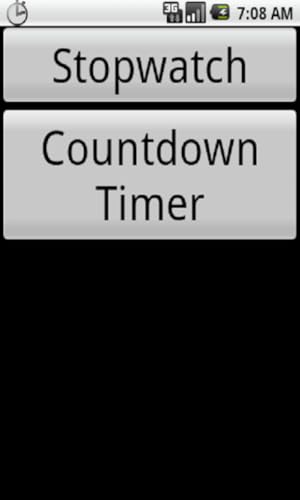
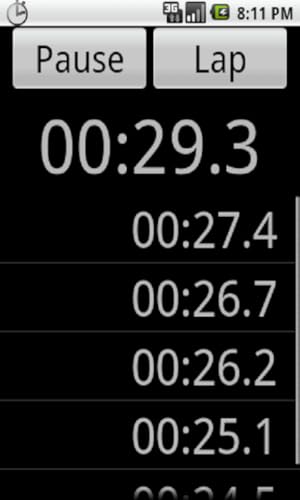
  • The Stopwatch and Countdown Timer is incredibly user-friendly, boasting a simple interface that allows you to start timing with just a tap. With its dual functionality, you can effortlessly switch between a stopwatch for tracking intervals and a countdown timer for setting precise deadlines. Imagine setting a countdown for your next presentation or timing your intervals during a high-intensity workout—this app makes it seamless!
  • One of the standout features is its accuracy; it ensures every second counts, making it superior to many competitors. Plus, it’s lightweight and won’t drain your battery, allowing you to focus on what matters most.
  • Whether you’re a fitness enthusiast, a busy professional, or a student managing study time, the Stopwatch and Countdown Timer app is an indispensable tool. Try it today and take control of your time like never before!

Read More

Frequently Asked Questions

Popular questions and answers about this product

What platforms is the Stopwatch and Countdown Timer available on?

The Stopwatch and Countdown Timer app is available for Android devices, ensuring that you can access it anytime, anywhere.

Can I use the app for interval training?

Absolutely! The stopwatch function is perfect for timing intervals in workouts, allowing you to maximise your exercise efficiency.

Is the app free to download?

The Stopwatch and Countdown Timer app is free to download, making it an excellent choice for anyone looking to improve their time management.

Does the app require an internet connection?

No, the app functions offline, so you can use it without needing a Wi-Fi or mobile data connection.

Is there a limit to how long I can time with the stopwatch?

No, the stopwatch can be used for as long as you need, making it ideal for both short and long tasks.

How do I set a countdown timer?

Simply open the app, select the countdown function, input your desired time, and hit start. It’s that easy!

Useful Posts