



Sphero Mini Blue: App-Controlled Robotic Ball, STEM Learning and Coding Toy, Ages 8 and Up
£49.99£58.04
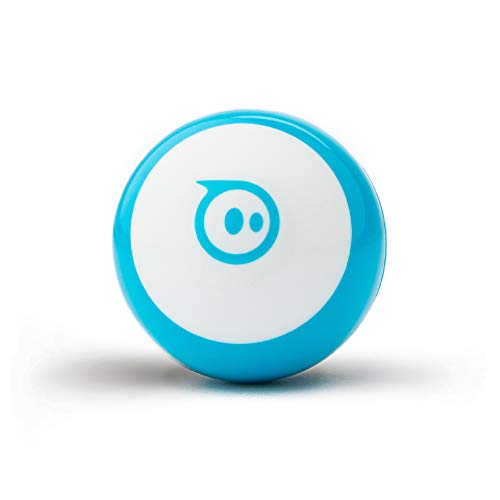
- Introducing the Sphero Mini Blue: the ultimate app-controlled robotic ball that combines fun, learning, and endless creativity! Perfect for ages 8 and up, this innovative toy not only entertains but also educates, making it an essential addition to any young explorer's collection.
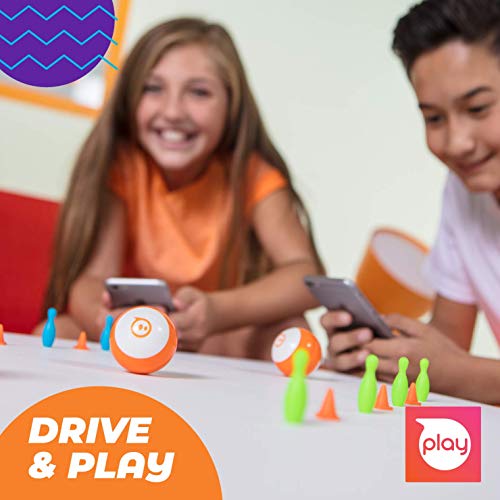
- With the intuitive Sphero Play app, control your mini robot in several exciting ways. Choose Joystick mode for precise navigation, unleash your inner speedster with Slingshot mode, or simply tilt your mobile device for a hands-on driving experience. Included in the box are 3 traffic cones and 6 bowling pins, allowing you to create thrilling obstacle courses and challenges right from the start!
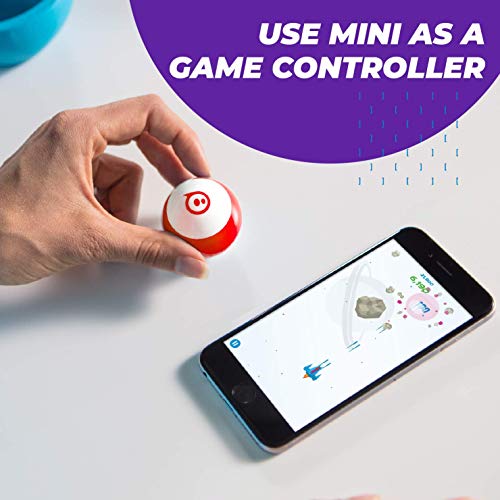
- But that's not all! The Sphero Mini features Face Drive, a hilarious mode that lets you drive using your facial expressions. It’s a fantastic way to engage with friends and family in a playful setting. Plus, you can transform your Sphero Mini into a game controller for arcade-style games within the Sphero Play app. Choose from 3 exhilarating games: shoot through space, race through tunnels, or smash through bricks.
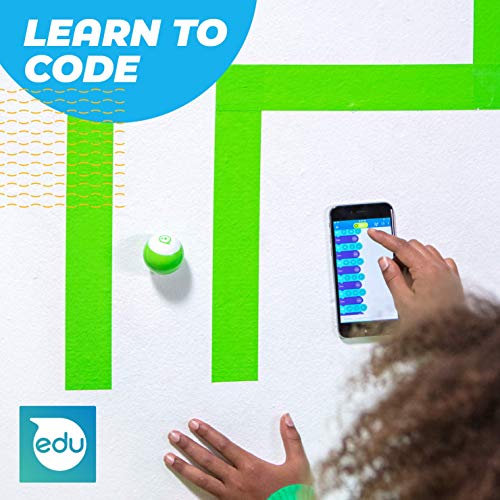
- For those eager to learn coding, Sphero Mini offers an exceptional opportunity. With Blocks drive mode, kids can drag and drop coding commands to programme their robot. For a deeper challenge, download the Sphero Edu app to explore Scratch Blocks and JavaScript coding.
- Another standout feature is the range of colourful interchangeable shells, allowing you to customise your Sphero Mini to match your mood. With one hour of playtime, this robotic ball is sure to inspire creativity and fun. Order now to discover why Sphero Mini is the next big thing in toys!
Frequently Asked Questions
Popular questions and answers about this product
What age group is the Sphero Mini suitable for?
The Sphero Mini is designed for children aged 8 and up, making it perfect for young explorers and budding engineers.
How do you control the Sphero Mini?
You can control the Sphero Mini using the Sphero Play app in various modes: Joystick, Slingshot, and Tilt mode, providing a fun and engaging experience.
What games can you play with the Sphero Mini?
Within the Sphero Play app, you can enjoy three exciting arcade-style games: shoot through space, speed through a tunnel, and smash bricks!
Can I learn to code with the Sphero Mini?
Absolutely! The Sphero Mini includes a Blocks drive mode for basic coding and the Sphero Edu app for more advanced programming using Scratch Blocks and JavaScript.
Does the Sphero Mini come with accessories?
Yes! The Sphero Mini comes with 3 traffic cones and 6 bowling pins to kickstart your obstacle course adventures right out of the box.
Are the shells interchangeable?
Yes! The Sphero Mini features colourful interchangeable shells, so you can easily switch designs to suit your mood and style.


