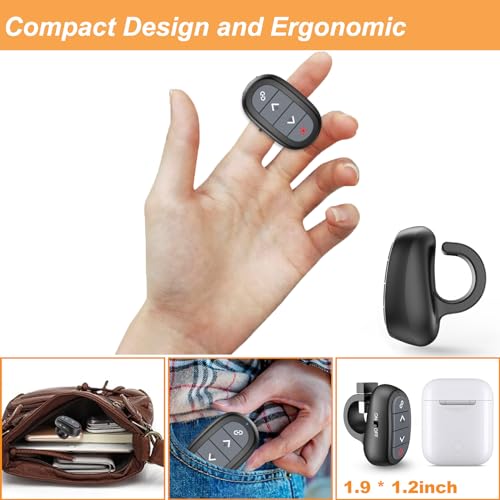


In today's fast-paced world, delivering an impactful presentation is essential for success, whether you're in a boardroom, classroom, or at a conference. The OMYPOTT Presentation Clicker Wireless Presenter Remote stands out as an ideal tool for anyone looking to enhance their presentation experience. Its lightweight and ergonomic design ensures comfort during long presentations, while the environmentally friendly ABS plastic finger loop allows for effortless handling.
One of the standout features of this clicker is its plug-and-play capability. Forget about fiddling with complicated software installations; simply plug the USB receiver into your computer, and you're ready to impress your audience. With a range of essential functions, including black screen and page navigation, this clicker gives you complete control over your presentation.
What truly sets the OMYPOTT clicker apart is its impressive range of 98 feet for operating the slides and 328 feet for the red pointer. This means you can captivate your audience from anywhere in the room, making your presentations more engaging.
Additionally, the USB-C rechargeable feature is incredibly convenient. A quick one-hour charge provides a week's worth of use, ensuring you’re always prepared for any presentation. Plus, its compatibility with various operating systems and software ensures that it meets the needs of any user.
In conclusion, if you're searching for a reliable, user-friendly presentation clicker that enhances your speaking engagements, the OMYPOTT Presentation Clicker is the perfect choice. Make the investment today and transform the way you present!