
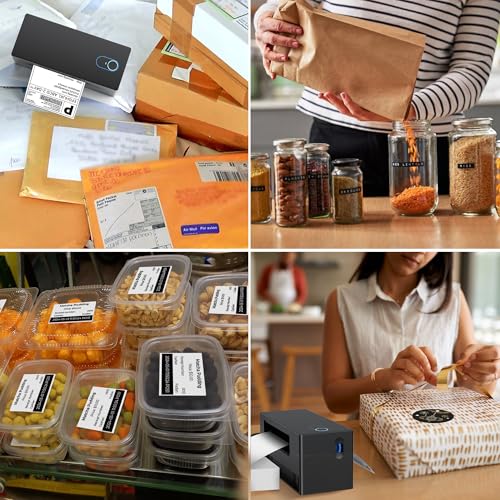
In the fast-paced world of eCommerce, efficiency is key, especially when it comes to shipping. Enter the Nelko Bluetooth Thermal Label Printer, a game-changer for small business owners and home office warriors alike. Imagine effortlessly printing shipping labels from your smartphone or tablet, all thanks to its seamless Bluetooth connectivity with iOS and Android devices. No more tangled wires or complicated setups!




In stock
Nelko Bluetooth Thermal Label Printer, Wireless 4x6 Shipping Label Printer for Small Business, Support Android, iPhone and Windows, Widely Used for Amazon, Ebay, Shopify, Etsy, USPS 1 pack
£59.99£106.99
- Elevate your shipping game with the Nelko Bluetooth Thermal Label Printer, designed for small businesses and home offices alike. This versatile printer connects effortlessly to your iOS and Android devices via the user-friendly "NELKO" app, ensuring seamless printing without the hassle of wires. Windows 7 and later users can also enjoy the convenience of wireless Bluetooth printing, while Mac users with M1 or M2 CPUs can easily connect through the app. Please note that all devices must connect through the app rather than directly via Bluetooth settings.
Frequently Asked Questions
Popular questions and answers about this product
What devices are compatible with the Nelko Bluetooth printer?
The Nelko Bluetooth Thermal Label Printer is compatible with iOS and Android devices through the "NELKO" app, as well as Windows 7 and above, and Mac users with M1 or M2 CPUs.
How fast does the Nelko printer print labels?
With a printing speed of 150 mm/s, the Nelko printer can produce up to 72 sheets of 4x6 labels per minute, significantly boosting your productivity.
What sizes of labels can I use with this printer?
The Nelko printer supports thermal labels ranging from 1.54" to 4.1" (40-104 mm), including popular sizes like 4x6, 3x2, 3x1, and 2x1.
Can I use this printer for printing barcodes?
Absolutely! The Nelko printer is perfect for printing various labels, including barcode labels, making it a versatile addition to your business.
Is the printer easy to set up?
Yes! The Nelko printer comes with a U-Disk containing drivers, instructional videos, and troubleshooting guides, making setup straightforward and user-friendly.
Can I print wirelessly from my Mac?
Mac users can connect to the Nelko printer via Bluetooth using the "NELKO" app, but please note that USB connection is the only supported method for Mac OS.
Useful Posts


