
In stock

256G Flash Drive for iPhone - MFi Certified 4 in 1 Portable Type-C/Micro USB/Lightning/USB Stick External Storage for iPhone/iPad/Android/Smartphone/Laptop/PC

£31.39£34.88

BUY NOW
Category: USB Flash Drives

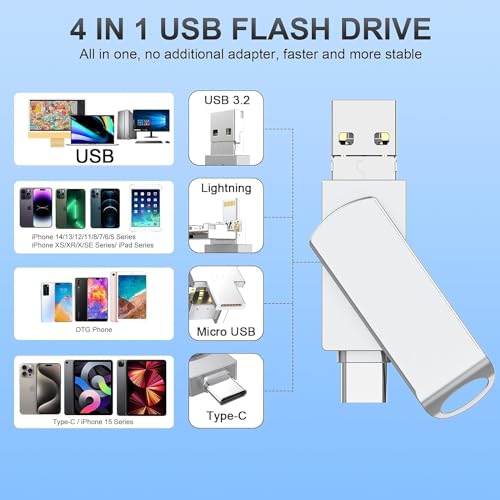
  • Are you tired of constantly running out of storage on your iPhone or iPad? Meet the MTAKYI 256GB 4-in-1 USB C Storage Flash Drive, the ultimate solution for all your storage needs! This versatile device features a unique 4-in-1 interface, including a USB C port, USB 3.0 port, Lightning port, and Micro USB port, allowing seamless data transfer between multiple devices without the need for any additional adapters.
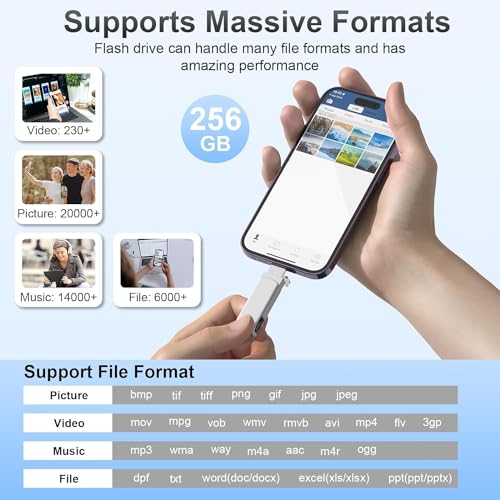
  • With a remarkable 256GB capacity, this flash drive makes it easy to store and transfer large files, whether they are cherished photos, important documents, or videos from your latest adventures. Imagine being able to free up space on your iPhone, iPad, Android phone, or even your MacBook with just a simple click! Effortlessly share your favourite memories with friends and family, and enjoy hassle-free backups of your essential files.
  • The MFi-certified design ensures top-notch quality and reliability, meaning you can trust this flash drive to keep your data safe and sound. Built from durable zinc alloy, it’s not just sturdy but also portable, fitting comfortably in your pocket or briefcase. Plus, with a clever 360° rotating protective cover and a lanyard loop, you can keep it secure and accessible wherever you go.
  • Experience lightning-fast transfer speeds of up to 80MB/s with the USB 3.0 port and enjoy plug-and-play convenience—simply download the “Y-Disk” app from the App Store, and you’re ready to go! Don’t let storage limitations hold you back. Grab the MTAKYI 256GB 4-in-1 USB C Storage Flash Drive today and keep your digital life organised!

Read More

Frequently Asked Questions

Popular questions and answers about this product

What devices are compatible with the MTAKYI flash drive?

The MTAKYI flash drive is compatible with iPhones, iPads, Android phones, laptops, and PCs, thanks to its versatile 4-in-1 interface.

How do I transfer files to and from the flash drive?

To transfer files, simply plug the flash drive into your device, download the “Y-Disk” app from the App Store, and follow the prompts to back up or transfer your files.

What is the maximum data transfer speed?

The USB 3.0 port offers impressive read speeds of up to 80MB/s and write speeds of up to 40MB/s, making it efficient for transferring large files.

Do I need additional software to use the flash drive?

No additional software is required, but you will need to download the “Y-Disk” app from the App Store to manage your files.

Is the flash drive durable?

Yes, the flash drive is made from high-quality zinc alloy, ensuring it is both sturdy and portable for everyday use.

Can I use the flash drive for backing up my photos?

Absolutely! The MTAKYI flash drive is perfect for backing up your photos and videos, providing a simple and efficient way to free up space on your devices.