
In stock

Stylus Pen for iPad (2018-2024), USB-C Fast Charging Pencil, Palm Rejection Tilt Sensitivity Compatible with Apple iPad Air M2/5/4/3, iPad Mini 7/6/5, iPad 10/9/8/7/6, iPad Pro M4 13"/12.9″/11″ White

£15.99£18.99

BUY NOW
Category: Stylus Pens

  • Discover the ultimate tool for creativity and productivity with the KEEPRO Stylus Pen for iPad, expertly designed for iPads released from 2018 to 2024. This sleek and innovative stylus offers users an array of remarkable features to elevate their digital experience. To power it on or off, simply long press the control button for three seconds. When the light flashes, your pen is ready to connect via Bluetooth, allowing you to display your battery life directly on your iPad screen and access handy shortcut functions.
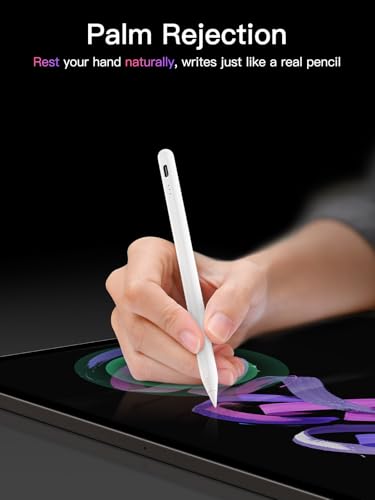
  • Compatible with a wide range of iPads including the latest iPad Air M2, iPad Pro M4, and iPad Mini 7, this stylus is crafted for versatility. The included original Apple Pencil tip ensures pixel-perfect precision and low latency, making it perfect for drawing, sketching, note-taking, and PDF markup. Although it lacks pressure sensitivity, it excels in tilt sensitivity, providing a natural feel akin to using a traditional pencil.
  • With fast charging capabilities, it takes just 30 minutes for a full charge, granting you up to 10 hours of uninterrupted usage. Plus, it cleverly auto shuts down after five minutes of inactivity to conserve power. Enjoy the convenience of a Bluetooth connection that displays battery status and allows one-click undo actions. Don’t miss out on the chance to enhance your iPad experience—grab your KEEPRO Stylus Pen today for seamless creativity!

Read More

Frequently Asked Questions

Popular questions and answers about this product

Is the KEEPRO Stylus Pen compatible with my iPad model?

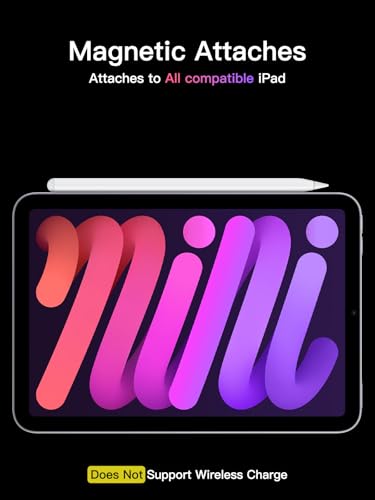
Yes, this stylus is compatible with all iPads released from 2018 onwards, including iPad Air M2, iPad Pro M4, and iPad Mini 7.

How do I charge the KEEPRO Stylus Pen?

Simply connect the stylus to a USB-C charger, and it will fully charge in just 30 minutes, providing up to 10 hours of use.

What is the tilt sensitivity feature?

The tilt sensitivity allows for more natural and varied strokes, simulating the feel of using a real pencil, making it easier to create shading and depth in your drawings.

Can I use the stylus without Bluetooth?

Yes! You can use the stylus without connecting to Bluetooth; however, you will lose access to shortcut functions like battery status and undo actions.

Does the stylus have pressure sensitivity?

No, the KEEPRO Stylus Pen does not feature pressure sensitivity, but it excels in tilt sensitivity for a smooth drawing experience.

How can I reset the Bluetooth connection if needed?

Go to Settings > Bluetooth > Apple Pencil > tap "i" > Forget this device to disconnect and reconnect as needed.