
If you're looking to take your streaming and recording game to the next level, the ConBlom HDMI Video Capture Card is a must-have accessory. This device is not just for gamers; it’s perfect for anyone who needs to capture high-quality video from various HDMI sources. With support for 4K input and 1080P output, your recordings will look incredibly sharp and professional.




In stock
Audio Video Capture Card, 4K HDMI to USB 2.0 Video Capture Device, 1080P HD 30fps Game Capture Cards for Switch PS4 xBox Streaming, Teaching, Video Conference or Live Broadcasting (Black)
£13.98
- Elevate your streaming and recording experience with the ConBlom 4K HDMI Video Capture Card, designed for gamers, educators, and professionals alike. This versatile device allows you to effortlessly capture high-definition video from consoles, computers, and other HDMI sources directly to your PC. Whether you’re streaming on platforms like Twitch and YouTube or conducting virtual meetings, this capture card ensures smooth, high-quality video at an impressive 1080P resolution at 30 frames per second (fps). With support for 3840×2160@30Hz input resolution and 1920×1080@30Hz output resolution, you're guaranteed crystal-clear recordings every time.
Frequently Asked Questions
Popular questions and answers about this product
What devices are compatible with the ConBlom capture card?
The ConBlom capture card is compatible with a variety of devices including Xbox, PS4, Nintendo Switch, DSLR cameras, and more, making it perfect for gamers and content creators.
Can I use this capture card for live streaming?
Yes, the ConBlom capture card is ideal for live streaming on platforms like Twitch and YouTube, providing high-quality video output without delays.
Do I need any special software to use the capture card?
No special software is required. The ConBlom capture card works as a plug-and-play device with most third-party software on Windows, macOS, and Linux.
What is the maximum resolution supported?
The capture card supports a maximum input resolution of 3840×2160 at 30Hz and an output resolution of 1920×1080 at 30fps for stunning video quality.
Is it suitable for online teaching?
Absolutely! This capture card is perfect for online teaching, allowing you to share presentations and content seamlessly during virtual classes.
How do I connect the capture card to my computer?
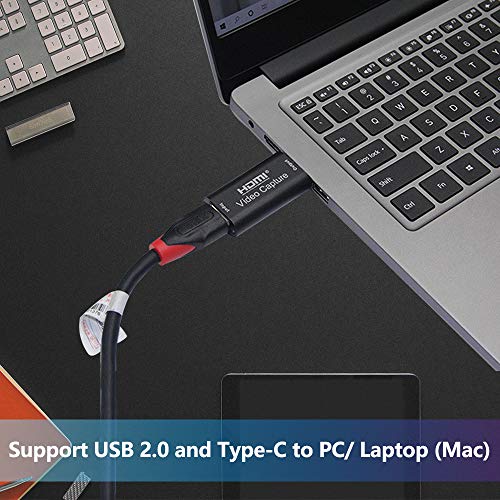
Simply connect the capture card to your computer via the USB 2.0 port and to your HDMI output device. It's that easy!
Useful Posts


