
ASOYIOL Ergonomic Wireless Mouse: Elevate Your Comfort and Precision in Mice
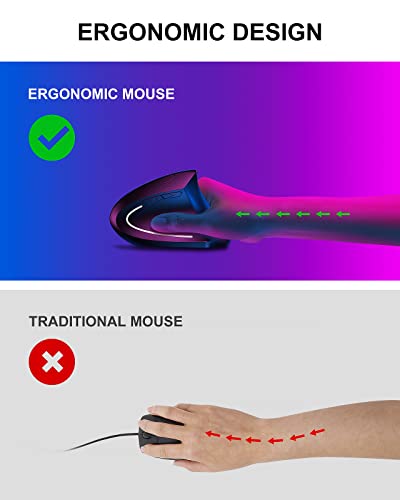
The ASOYIOL Ergonomic Wireless Mouse combines comfort and precision, making it a perfect choice for both work and play.






£16.99
Popular questions and answers about this product
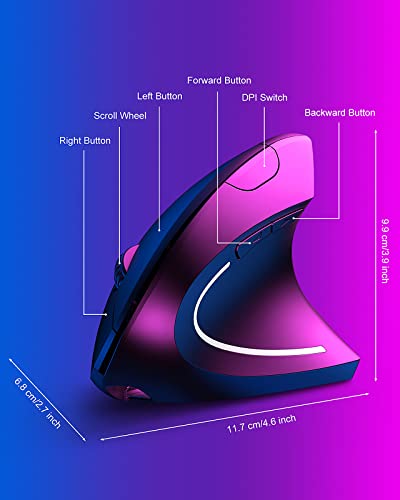
The ASOYIOL Ergonomic Mouse features three adjustable DPI settings: 1000, 1200, and 1600, allowing for precise control based on your needs.
No, the ASOYIOL Ergonomic Mouse is not compatible with Mac OS X but works seamlessly with various versions of Windows and Linux.
After 8 minutes of inactivity, the mouse enters power-saving mode. Simply click the mouse to reactivate it, ensuring it’s ready when you are.
Absolutely! With its high DPI settings and six-button layout, the ASOYIOL Ergonomic Mouse is well-suited for gaming as well as everyday tasks.
The ASOYIOL Ergonomic Mouse comes with a USB charging cable, making it easy to recharge when needed. Simply connect it to a power source.
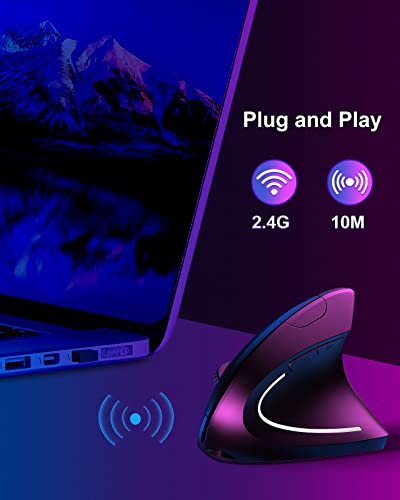
This mouse features precise optical tracking, allowing it to work effectively on a wide range of surfaces, including wood, glass, and cloth.
The ASOYIOL Ergonomic Wireless Mouse combines comfort and precision, making it a perfect choice for both work and play.

![iPhone Fast Charger Cable and Plug, [MFi Certified] Apple 20W USB C Power Adapter and C to Lightning Cable 2m for iPhone 14/13 Pro/13 Pro Max/12/11/XR/XS/iPad Pro/Airpods](https://m.media-amazon.com/images/I/21WWLWibjGL._SL500_.jpg "iPhone Fast Charger Cable and Plug, [MFi Certified] Apple 20W USB C Power Adapter and C to Lightning Cable 2m for iPhone 14/13 Pro/13 Pro Max/12/11/XR/XS/iPad Pro/Airpods")

